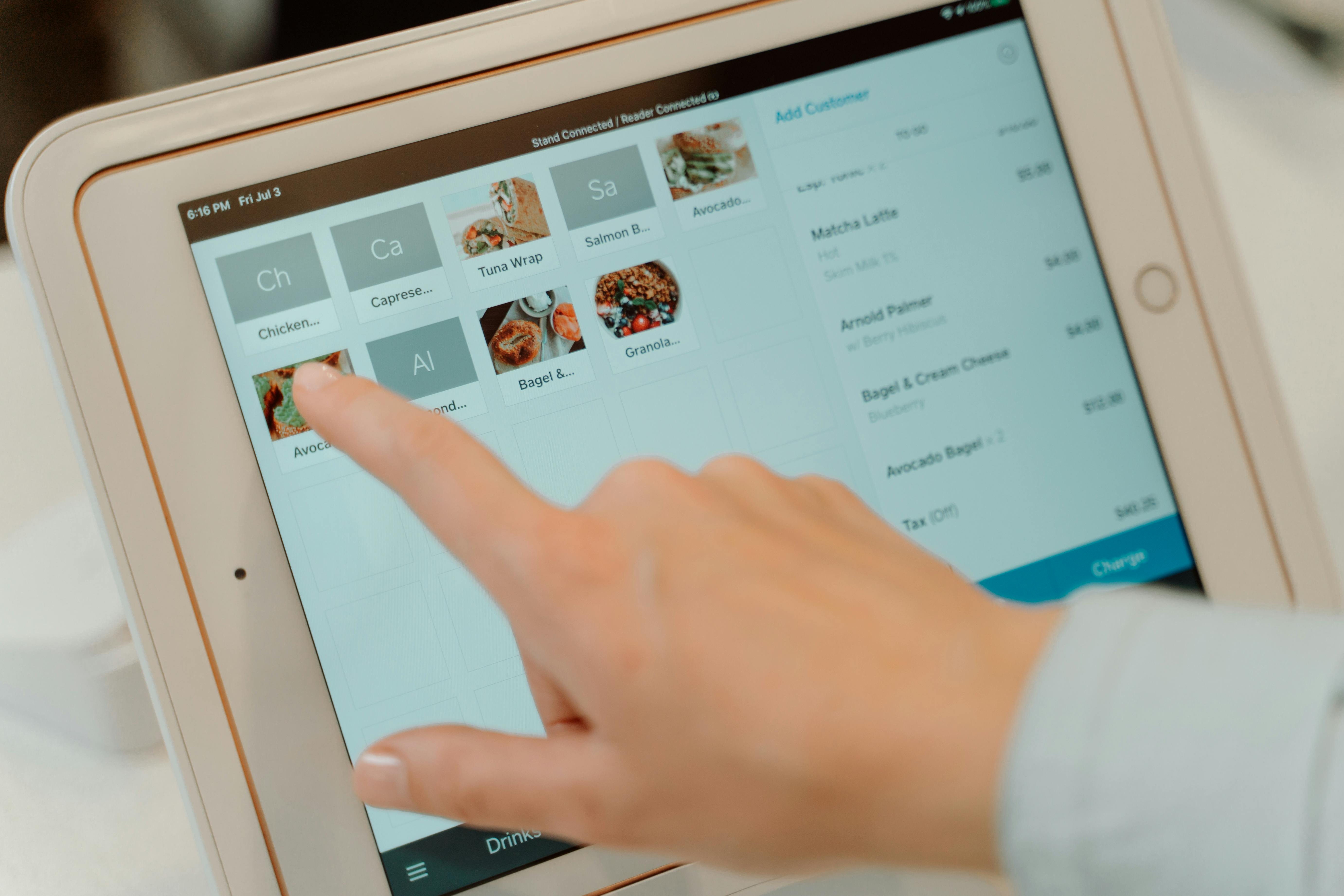
A point-of-sale (POS) system is more than a way to ring up purchases. For many businesses, it is the central hub for accepting payments, tracking sales, managing inventory, and keeping day-to-day operations organized. The right system can make checkout smoother and give you a clearer picture of how your business is performing.
But POS systems are not one-size-fits-all. A neighborhood coffee shop, a full-service restaurant, and a busy nail salon may all need different tools. Understanding how POS technology works—and what to look for before signing up—can help you avoid paying for features you do not need or getting locked into a setup that does not fit your workflow.
What Is a POS System?
A POS system is the combination of software and, when needed, hardware that a business uses to complete sales and record transactions. The term “point of sale” refers to the place or moment when a customer pays for goods or services. That might be a checkout counter, a restaurant table, a mobile device, or an online checkout page.
A modern POS system can do much more than calculate totals. Depending on the provider and plan, it may support product catalogs, taxes and discounts, employee permissions, customer profiles, appointment scheduling, tipping, reporting, and inventory management.
A POS system and a payment terminal are not always the same thing. A standalone card terminal primarily accepts payments, while a full POS platform typically connects payment acceptance with broader business operations.
How Does a POS System Work?
Although the exact workflow varies, most in-person POS transactions follow a similar sequence:
- Start the sale. The employee selects products or services, scans barcodes, or opens an existing ticket or appointment.
- Calculate the total. The POS applies relevant taxes, discounts, service charges, and tips based on its configuration.
- Choose a payment method. The customer may pay by credit or debit card, supported digital wallet, cash, or another enabled method.
- Process the payment. For card payments, the terminal securely transmits payment information through the payment-processing ecosystem for authorization. The issuing bank generally approves or declines the request.
- Complete the transaction. The POS records the sale and may provide a printed or digital receipt.
- Update business records. Depending on the setup, inventory counts, sales reports, customer records, and employee performance data update automatically.
- Settle funds. Authorized card transactions are typically submitted for clearing and settlement, with deposits arriving according to the processor's funding schedule, risk reviews, and applicable bank processing times.
The customer-facing payment step may take only seconds, but the POS coordinates several important processes behind the scenes.
The Main Components of a POS System
POS Software
The software provides the interface used to create orders, accept payments, configure products or services, manage users, and review reports. It may run on a dedicated register, tablet, computer, mobile device, or cloud-connected platform.
POS Hardware
Hardware requirements depend on the business. Common devices include touch-screen registers, tablets, barcode scanners, cash drawers, receipt printers, kitchen printers, customer-facing displays, and card readers that support chip, contactless, or swipe transactions where available.
Payment Processing
Payment processing connects card acceptance to the banks and payment networks involved in authorizing and settling transactions. Some POS providers require their own processing service; others support compatible third-party processors. This distinction can affect flexibility, fees, hardware choices, and the ease of switching providers later.
Connectivity and Integrations
Many POS systems use an internet connection for payment authorization, cloud synchronization, remote reporting, and integrations. Some offer offline functionality, but offline mode has limitations. A system may be able to record sales without connectivity while card transactions remain pending or unavailable. Offline card acceptance, when supported, can create additional decline or fraud risk once connectivity returns.
What Can a Modern POS System Do?
The features that matter most depend on your operations:
- Payment acceptance: Support for cards, contactless payments, mobile wallets, cash, and other enabled methods.
- Inventory management: Track stock, product variations, low-stock alerts, and purchase activity.
- Sales reporting: View revenue, transaction volume, popular products, and trends by location or employee.
- Employee management: Set user permissions, monitor sales, and potentially manage time tracking.
- Customer management: Save permitted customer information, purchase history, and loyalty preferences.
- Tips and gratuities: Offer tipping prompts and track gratuities or tip distribution where supported.
- Appointments and reservations: Manage scheduling and service bookings for eligible business types.
- Multi-location operations: Compare performance and manage catalogs across stores or locations.
- Integrations: Connect compatible accounting, ecommerce, scheduling, payroll, or marketing tools.
Do not assume every feature is included in the base subscription. Some capabilities require add-ons, higher-tier plans, or separate integrations.
Types of POS Systems
Traditional Countertop POS
A fixed checkout station with dedicated hardware can be a practical choice for retailers, grocery stores, and businesses with a consistent checkout area.
Tablet and Mobile POS
Tablet-based or handheld systems offer flexible checkout locations and can work well for pop-ups, food trucks, service providers, and staff who need to take payments away from the counter.
Cloud-Based POS
Cloud-connected systems can synchronize data and enable remote management, depending on the provider. Ask what happens during an internet outage and which functions continue working locally.
Industry-Specific POS
Specialized systems may offer restaurant table management and kitchen routing, salon appointments and technician commissions, or retail inventory variations and barcode workflows. A good industry fit can be more valuable than a long list of generic features.
How Much Does a POS System Cost?
The total cost of ownership often includes more than the register itself. Compare the following categories before deciding:
- Hardware purchase or rental costs
- Software subscriptions and optional feature add-ons
- Credit and debit card processing fees
- Installation, onboarding, and training charges
- Integration, support, and additional-location fees
- Contract terms, cancellation fees, and equipment return requirements
A low monthly software price does not automatically mean the lowest overall cost. For example, payment processing fees can represent a substantial ongoing expense for businesses with high card volume. Compare quotes using your actual transaction mix, average ticket, monthly volume, and operational needs.
When evaluating payment processing, ask whether pricing is flat-rate, interchange-plus, tiered, or another model. Request a clear explanation of per-transaction charges, monthly fees, chargeback fees, and any other applicable costs. No pricing model is universally cheapest for every merchant.
How to Choose the Right POS System: A Practical Checklist
1. Map Your Daily Workflow
Start with how sales actually happen. Do customers order at a counter, at a table, online, or by appointment? Do employees split tickets, handle returns, manage multiple service providers, or accept tips? Identify must-have workflows before reviewing vendors.
2. Match Features to Your Industry
A retailer may prioritize barcode scanning, product variants, and stock counts. A restaurant may need modifiers, kitchen displays, split checks, and table management. A salon or spa may value booking calendars, technician assignments, service packages, and tip tracking.
3. Understand Processing Compatibility
Ask whether the POS works only with a designated payment processor or supports multiple compatible processors. If flexibility matters, verify it in writing and confirm which hardware and software features work with your chosen processing arrangement.
4. Compare the Full Cost, Not Just the Advertised Price
Request an itemized proposal that includes software, hardware, payment processing, support, setup, add-ons, and contract terms. Model costs using your own business data instead of relying only on headline rates.
5. Test Ease of Use
Ask for a demonstration using realistic tasks: complete a sale, issue a refund, apply a discount, split a payment, clock in an employee, and close out the day. An intuitive system can reduce training time and checkout friction.
6. Check Security and PCI Responsibilities
Choose reputable providers with appropriate payment security controls. Ask about EMV chip support, contactless payments, encryption, tokenization, access controls, updates, and how the provider supports PCI DSS requirements. Using a compliant service provider does not automatically remove all of the merchant's own PCI DSS responsibilities; the scope depends on the payment environment and how cardholder data is handled.
7. Verify Reliability and Support
Ask about system uptime, technical support hours, replacement hardware, backups, and offline behavior. Understand what happens if the internet goes down or a terminal stops working during a busy shift.
8. Confirm Integrations and Data Portability
If you rely on accounting, online ordering, scheduling, or inventory tools, verify the exact integration and any additional fees. Also ask how to export your products, customer records, and transaction reports if you later change systems, subject to privacy and legal requirements.
9. Review Contracts Before Signing
Look for contract length, auto-renewal, cancellation terms, hardware ownership, software access after cancellation, and any early termination charges. Get important promises documented.
Which POS Features Matter for Different Businesses?
- Retail Stores: Barcode scanning, inventory by variant, returns, purchase orders, and multi-location reporting.
- Restaurants and Cafes: Menu modifiers, kitchen routing, table management, split checks, tipping, and online ordering integrations.
- Nail Salons and Spas: Appointment booking, technician assignments, service menus, tips, commissions, and customer history.
- Professional and Field Services: Mobile payment acceptance, invoices, customer records, and portable devices.
- Multi-Location Businesses: Centralized reporting, location-specific permissions, shared product catalogs, and consistent management controls.
These are examples, not guaranteed features of every system. Verify your specific requirements in a live demonstration.
Common POS Buying Mistakes to Avoid
Choosing solely by the lowest advertised price can overlook processing fees and required add-ons. Buying hardware before checking compatibility can lead to wasted expense. Signing a long agreement without reviewing exit terms can make future changes costly. And selecting a system based on an impressive feature list—without testing everyday workflows—can create frustration for staff and customers.
A better approach is to shortlist a few providers, run the same realistic scenarios on each, request comparable written quotes, and confirm what is included.
POS Systems and Credit Card Processing: Why They Should Work Together
Your POS system manages the sale, while the payment processing service helps move the card transaction through authorization and settlement. When the two work well together, staff can avoid re-entering amounts, reconcile transactions more easily, and maintain consistent records.
However, integration quality varies. Before committing, confirm supported card readers, payment types, refunds, tipping, settlement reports, and any restrictions on processor selection. For many merchants, evaluating POS technology and processing rates together leads to a more informed decision than shopping for either one separately.
Frequently Asked Questions
Is a POS system the same as a credit card machine?
Not necessarily. A credit card machine primarily accepts card payments. A POS system typically also records sales and may manage inventory, staff, customers, and reporting. Some compact devices combine both roles.
Do I need a POS system for a small business?
Not every business needs a full-featured POS. A simple card terminal or invoicing solution may be enough for a low-volume service business. A POS becomes more valuable when you need integrated checkout, reporting, inventory, or staff workflows.
Can a POS system work without the internet?
Some systems support limited offline functions, but capabilities vary widely. Card payments may be unavailable, delayed, or accepted at the merchant's risk. Always verify the provider's offline payment rules and synchronization behavior.
Can I use my existing payment processor with a new POS?
Sometimes. Some POS platforms support approved third-party processors, while others require a bundled payment service. Confirm compatibility before buying hardware or signing an agreement.
Does a POS system help with inventory management?
Many systems can automatically adjust inventory after sales, but the depth of tracking depends on the software and subscription tier. Businesses with complex stock needs should test variations, bundles, purchase orders, and reporting.
Is a cloud-based POS better than a traditional POS?
Neither is automatically better. Cloud-based systems can make remote access and synchronization easier, while locally capable systems may provide useful resilience in some environments. Compare reliability, connectivity needs, cost, security, and your daily workflow.
Is my business PCI compliant if I use a secure POS?
Not automatically. A secure POS can help reduce risk and compliance scope, but merchants still have responsibilities under applicable PCI DSS requirements. Your acquiring bank or payment provider can help clarify your validation requirements.
How do I know if a POS system is worth the cost?
Estimate the full monthly and upfront cost, then compare it with the value of time saved, errors reduced, reporting improvements, and features you will actually use. Request demonstrations and itemized quotes before committing.
Find a POS Solution That Fits Your Business
The best POS system is not necessarily the one with the most features. It is the one that supports how your business operates, makes payments straightforward, and offers a clear and sustainable cost structure.
Whether you are opening your first location or upgrading an outdated register, evaluating POS technology alongside credit card processing can help you make a confident choice. The Gratitude Merchant team can help you explore payment acceptance and POS options based on your industry, transaction needs, and budget.
Tell us about your business and the features you need. We can help you compare available solutions and understand the costs before you commit.